
SHAREit
SHAREit is a free Windows app from the SHAREit Team for moving photos, videos and documents between a PC and a phone. The current version is 5.1.0.7.
22.7 MB

PuTTY is a free, open-source SSH client, terminal emulator and serial console for Windows, developed by Simon Tatham.
Average 0.0 · ratings: 0
Thank you! Your rating is saved; you can change it. Could not save the rating. Please try again later. Too many ratings from your network today. Please try again tomorrow. The average appears after 5 ratings.
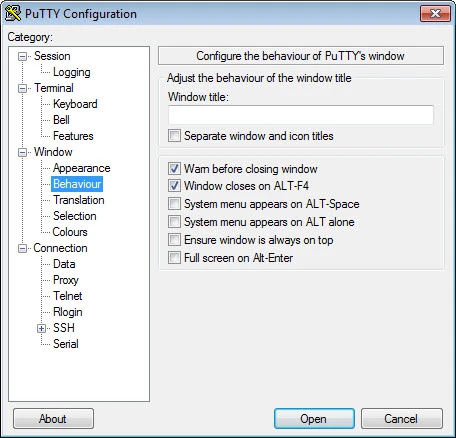
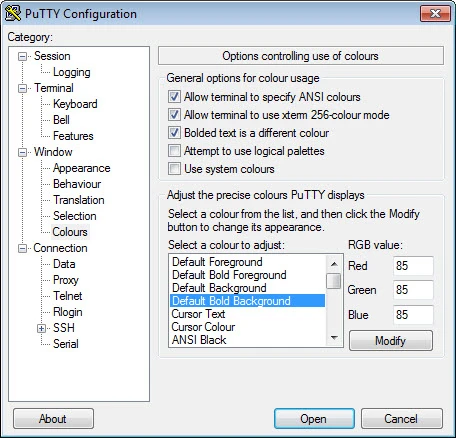
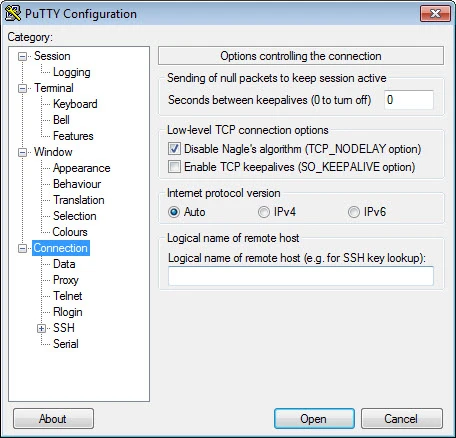
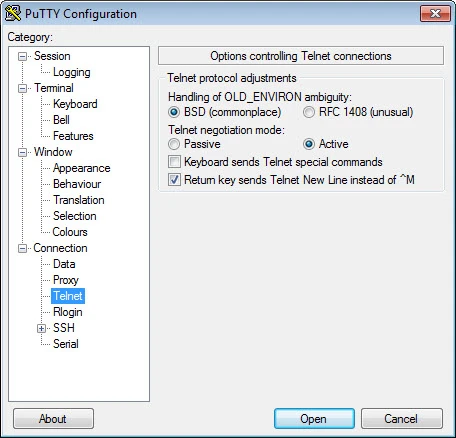
PuTTY 0.85.0 for Windows is Simon Tatham's free and open-source SSH client and terminal emulator, and you can download it from the official PuTTY website. Release 0.85 came out on 16 August 2026. Below are answers to the questions people ask before using it.
PuTTY is a terminal client that lets you log in to another computer, usually a Linux server, router or network device, and type commands as if you were sitting at its keyboard. Its first release dates to 19 November 1998, and it has been the standard SSH tool on Windows for system administrators, web developers and students ever since. It also works as a serial console for configuring switches and embedded boards over a COM port, and the package includes tools for copying files over SSH and for creating and managing keys. The program itself is tiny, opens instantly and saves connection profiles, so a list of servers is always one double-click away. Even though modern Windows ships its own SSH command, many people stay with PuTTY for its saved sessions and simple configuration window.
This page lists 0.85.0, updated in September 2026. The file size is about 3.66 MB according to catalogue data. Every change is recorded in the official PuTTY change log.
When you connect to a server you have not used before, PuTTY shows the server's host key fingerprint. Compare it with the fingerprint your hosting provider or administrator gave you before accepting; this protects you from connecting to an impostor. Then log in with your user name and password or an SSH key.
Yes. It is released under the MIT License, which allows free personal and commercial use. The source code is available from the official Git repository.
Only from the official addresses above. Because PuTTY handles server passwords and keys, look-alike download sites with modified builds have been used to steal credentials. Keep it updated, since new releases often fix security issues.
MobaXterm combines a terminal with other network tools, and FileZilla is the choice for transferring files over SFTP. Both are in the same networking category.
SHAREit is a free Windows app from the SHAREit Team for moving photos, videos and documents between a PC and a phone. The current version is 5.1.0.7.

Zapya for Windows is a free file transfer app from DewMobile for moving files between a PC and phones over a local wireless connection.

Easy Connection to Screen is Samsung's Windows app for showing a PC's screen on a compatible Samsung TV over a wireless connection.

Internet Download Manager (IDM) is a shareware download manager for Windows from Tonec that accelerates, resumes and schedules downloads.

uTorrent (μTorrent) is a small BitTorrent client for Windows from Rainberry (BitTorrent Inc) for downloading and sharing files over torrents.

AnyDesk is a remote desktop application for connecting to and controlling another computer over the internet, from a small Windows program.

ShareMe is Xiaomi's free app for sending files between devices without a cable; on Windows the Android app runs only inside an emulator.

Xender is a free file sharing app from the Xender File Sharing Team for sending files between phones and computers over a local connection.